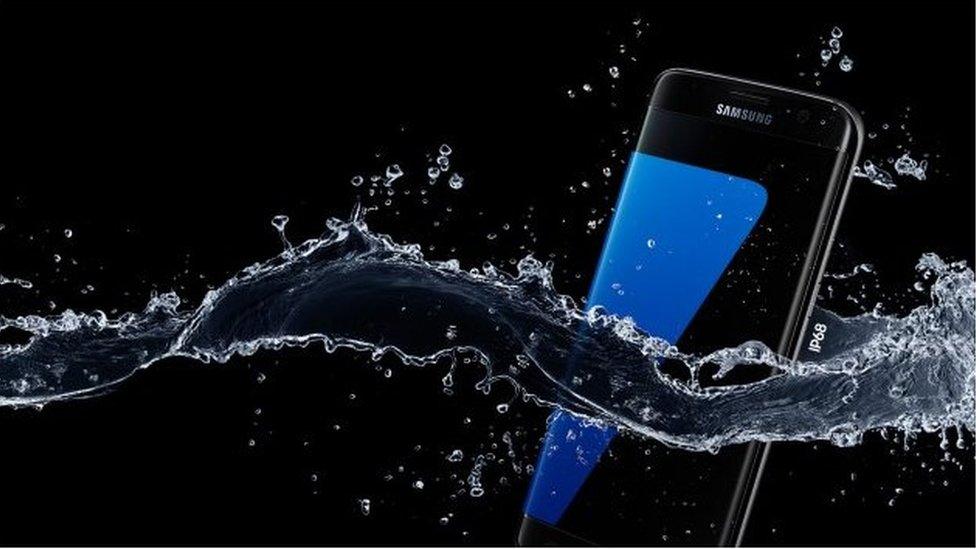
Samsung Galaxy smartphones are renowned for their impressive water resistance capabilities but users have reported various issues related to this feature. While these devices come with an IP rating indicating a certain level of protection against water and dust, real-world scenarios can often challenge these ratings. Many users find themselves grappling with unexpected water damage leading to concerns about repair and maintenance.
Understanding Samsung Galaxy water resistance issues is essential for any smartphone user. Factors such as age wear and tear and improper usage can compromise the water-resistant seal. In this article we will delve into common problems associated with water resistance in Samsung Galaxy devices, provide practical repair tips and offer preventative measures to maintain your device’s integrity.
Understanding IP Ratings: What Do They Mean?
When we talk about Samsung Galaxy water resistance issues it’s important to understand what IP ratings are. IP stands for “Ingress Protection” and this rating tells us how well a device can keep out dust and water. For example if a phone has an IP68 rating it means the device is very good at keeping water and dust out. The first number tells us about dust protection and the second number is about water protection. Higher numbers mean better protection. Knowing this helps you understand how much water your Samsung Galaxy can handle.
However just because your Samsung Galaxy has a high IP rating does not mean it is completely waterproof. Many people mistakenly think they can take their phones into deep water but that’s not the case. Water resistance can weaken over time due to wear and tear. This means that if your phone is a bit older or has been dropped it may not be as water-resistant as it used to be. So while IP ratings are helpful they are not a guarantee that your phone will survive in water.
Common Causes of Water Resistance Failures
There are several common causes of Samsung Galaxy water resistance issues. One major cause is wear and tear over time. When a phone is used daily the seals that protect it from water can get worn out. This can happen if you frequently put your phone in and out of your pocket or if you use it while doing activities like swimming or cooking. Even small scratches or dents on the phone can let water in leading to problems.
Another cause of water resistance failures is improper maintenance. Some people might think their phone is completely safe from water so they don’t take care of it properly. For example they might not close the charging port or headphone jack tightly. If these ports are left open water can easily sneak in causing serious damage. It’s always a good idea to check your Samsung Galaxy and make sure everything is sealed properly to avoid water resistance issues.
Signs of Water Damage in Samsung Galaxy Phones
Detecting water damage in your Samsung Galaxy is important for preventing further problems. One of the first signs you might notice is a foggy or blurry camera lens. If your phone has been exposed to water moisture can get trapped inside the camera making your photos look blurry. You may also see water spots on the screen or under the glass. These signs indicate that water has entered your device and it’s time to take action.
Another sign of water damage is if your phone starts acting weird. For instance if your Samsung Galaxy suddenly turns off or won’t charge this could mean water has damaged the internal components. Sometimes you might even hear strange sounds coming from the phone or the screen may flicker. If you notice any of these signs it’s important to address the issue quickly. The sooner you act the better your chances of saving your phone from permanent damage.
Immediate Steps to Take After Water Exposure
If your Samsung Galaxy has been exposed to water it’s crucial to act quickly. The first step is to turn off the phone immediately. This helps prevent short circuits and further damage to the internal parts. Do not try to charge it or turn it back on until you’re sure it’s completely dry. Once the phone is off you should gently wipe the outside with a soft cloth to remove any excess water. This simple step can make a big difference!
Next you should remove any cases or accessories. These can trap moisture and prevent your phone from drying properly. If your phone has a removable battery take that out as well. Place your phone in a bowl of uncooked rice or use silica gel packets if you have them. These materials help absorb moisture and can speed up the drying process. Leave your phone in the rice or gel for at least 24 to 48 hours. Remember patience is key here!
DIY Repair Tips for Minor Water Damage
For minor water damage there are a few DIY repair tips you can try at home. After you’ve dried your phone using the rice method, check to see if it turns on. If it does great! You might still want to run a few tests to make sure everything is working correctly. Check the sound camera and touch screen to ensure they are functioning properly. If you notice any issues you may want to reset the phone to factory settings to fix any software problems caused by water.
If your Samsung Galaxy does not turn on you can try connecting it to a charger after a few days of drying. Sometimes it just needs a little time to recover. If it still doesn’t work don’t panic! You can look for online guides or videos that provide step-by-step instructions on how to fix minor water damage. However remember that opening your phone might void the warranty so proceed with caution.
When to Seek Professional Help
While some water damage can be fixed at home there are times when it’s best to seek professional help. If your Samsung Galaxy shows signs of serious water damage like not turning on after several days of drying it’s time to visit a repair shop. Professionals have the tools and knowledge to diagnose the problem accurately and can often repair damage that you can’t fix yourself. This may save your phone and prevent more serious issues down the line.
It’s also a good idea to seek professional help if your phone is still under warranty. Some Samsung Galaxy models come with a warranty that covers water damage to a certain extent. If you take your phone to an authorized repair center they may be able to fix it for free or at a reduced cost. Always check your warranty terms and conditions before attempting any repairs yourself as this can save you both time and money.
Preventative Measures for Future Protection
Taking care of your Samsung Galaxy now can prevent water resistance issues in the future. One simple preventative measure is to invest in a good quality waterproof case. These cases are designed to protect your phone from water damage allowing you to use it near water without worry. Whether you’re at the beach or in the rain a waterproof case can give you peace of mind.
Another important tip is to regularly check the seals and ports on your phone. Make sure that all covers are tightly closed and that there are no scratches or damages that could allow water to enter. If you notice any issues consider taking your phone to a professional for inspection. Being proactive can save you a lot of trouble later on!
Conclusion
Samsung Galaxy water resistance issues can be serious but there are many ways to manage them. By understanding IP ratings and common causes of water damage you can better protect your phone. If you do encounter problems, quick action can help save your device. Remember the DIY tips for minor repairs and know when it’s time to seek professional help.